
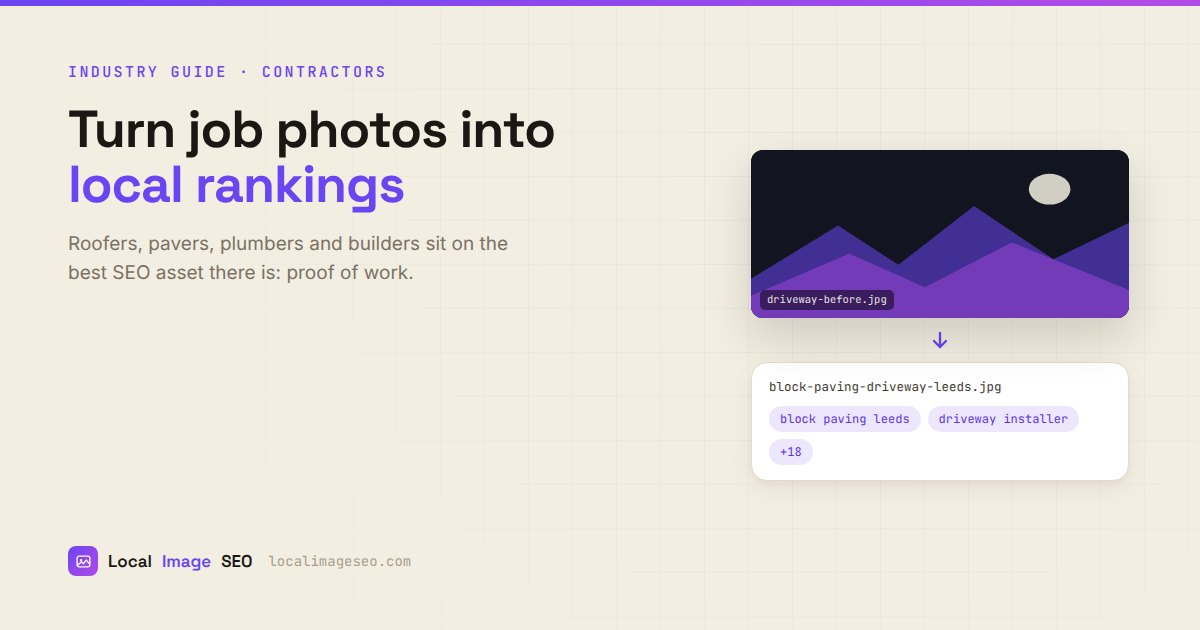
Roofers, pavers, plumbers, electricians and builders have something most local businesses would pay for and cannot buy: a constant supply of photographic proof that they do good work, in specific places, for real people. Almost none of it gets used. This is how to fix that without adding an hour to your week.
The asset you already own
Think about what a competing roofing company's website looks like. Stock photography of a roof that exists in Ohio, or Estonia, or nowhere. Generic copy. A form.
Now think about what is on your phone right now: forty photos of actual roofs, in actual streets, in the towns you actually serve, with your actual van in shot. That is the single most defensible content asset in local SEO, because nobody else can copy it. A competitor can rewrite your service page in an afternoon. They cannot photograph a job they did not do.
Every finished job is a piece of content. The photos are already taken. The only thing missing is a five minute habit at the end.
The reason this matters beyond vanity: local search rewards relevance and prominence. A site with twenty pages of real, described, located work in your towns is genuinely more relevant to "block paving in Leeds" than a site with one stock photo and the word Leeds repeated eleven times. And a customer choosing between two quotes is looking for evidence, which is what these photos are.
What to shoot on site
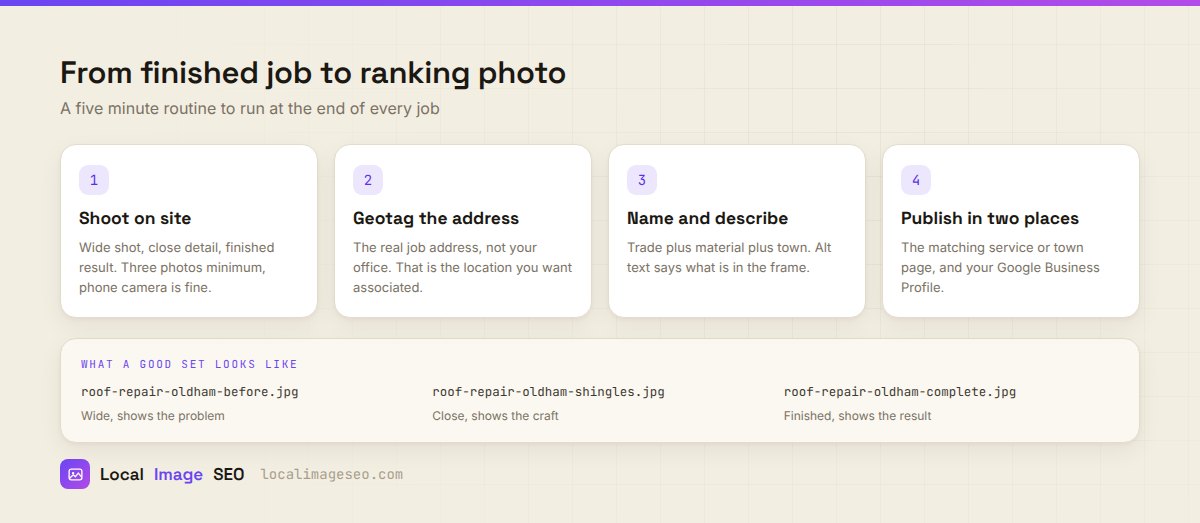
Not artistry. Evidence. Five shots, phone camera, ninety seconds:
- Wide, before. Shows the problem and the context — the property, the street, the scale.
- The close detail. The material, the joint, the flashing, the thing a professional would notice.
- Someone working. A person in the frame proves this is real work and not a catalogue. It also outperforms empty shots with customers, consistently.
- Wide, after. Same angle as the before shot. The comparison does the selling for you.
- The bit you are proud of. Every job has one. That is the photo that makes another tradesperson nod.
Practical notes from people who do this well: shoot in landscape, because that is the shape every page and profile wants. Take the "before" shot before you start, which sounds obvious and is the step that gets forgotten every single time. Avoid heavy filters — over-processed photos read as stock, which destroys the exact advantage you are trying to build. And get the light right by shooting with the sun behind you, which is most of what photography advice amounts to anyway.
The naming convention
IMG_20260714_144211.jpg describes nothing. Decide a pattern once and never think about it again:
service – material or detail – town .jpg
roof-repair-slate-oldham.jpgblock-paving-driveway-leeds.jpgboiler-installation-worcester-bolton.jpgrewire-consumer-unit-stockport.jpg
Lowercase, hyphens between words, no spaces, no underscores, no dates. The filename is a weak-to-moderate signal on its own — do not expect miracles from it — but it costs nothing, it makes your own media library navigable, and it means the file describes itself if it ever ends up somewhere without your page around it.
If you run a team, write the convention on one line and pin it in the group chat. Three people inventing three schemes is worse than one imperfect scheme applied consistently.
Geotag the job, not the office
This is the mistake that undoes the whole exercise: geotagging every photo with the business address.
The coordinates on a photo should describe where the photo was taken. If you fixed a roof in Oldham, the photo's GPS should be that roof in Oldham. Not your yard in Rochdale. The reason is not that Google is checking your homework — it is that the entire point of the geotag is to record where the work happened, and stamping the office on everything records nothing at all.
Your phone does this automatically if location services are on, which is the easy path. But the moment a photo gets edited, exported, sent through WhatsApp or run through any app, the GPS is usually stripped. WhatsApp in particular removes it entirely. So the photos that reach your website almost never have their original coordinates, and you set them again afterwards. That is normal and it is not cheating — you are restoring true information that a messaging app deleted.
What is cheating: stamping Leeds coordinates onto photos of jobs in Bradford to "target" Leeds. That is publishing something false about your own business, it is checkable, and the upside is close to zero. The mechanics of doing it properly are in our step-by-step geotagging guide.
Alt text a contractor can actually write
Alt text is the description that lives on your web page and tells search engines, AI assistants and screen reader users what the photo shows. You do not need to be a copywriter. You need to say what is happening.
- Not "roof repair" → but "Roofer fitting new grey slate tiles on a terraced house roof in Oldham"
- Not "driveway" → but "Newly laid herringbone block paving with charcoal border outside a Leeds semi"
- Not "plumbing leeds best plumber leeds" → but "Plumber fitting a Worcester combi boiler in a first floor airing cupboard"
The keyword ends up in there because the photo genuinely is of that thing in that place. That is the difference between a description and stuffing. If you want the full method, the alt text guide covers length, decorative images and the specific ways it goes wrong.
Do the whole file in one pass
Geotag, rename, write alt text and tags, compress — up to five job photos at once. Free, no signup, runs in your browser.
Optimize job photos freeWhere the photos go
Optimized photos sitting in a folder do exactly nothing. Two destinations, every time:
1. The matching page on your website. Not a gallery page where every photo goes to die. The specific service or town page the job belongs to. A block paving job in Leeds goes on the block paving page and, if you have one, the Leeds page. Photos surrounded by relevant copy is the entire mechanism — the image reinforces the text, the text explains the image.
2. Your Google Business Profile. Where it does the conversion work: showing a customer, in the two seconds they spend on your listing, that you do this and you do it well. Bear in mind the profile strips most metadata on upload and offers no alt text field, so the website copy is where the search value lives. That trade-off is explained in the Google Business Profile guide.
The third destination, if you have the appetite: a short case study. Six sentences, five photos, the town in the heading. "Slate roof repair in Oldham" as a page beats any amount of homepage keyword tuning, because it is a real thing that really happened and no competitor has it.
The five minute end-of-job routine
Systems beat intentions. This is the whole thing:
- Before you pack up: five photos, ninety seconds.
- Same evening or Friday afternoon: drop the set into the tool, set the job address once, give it the keyword (
roof repair oldham), generate. - Read what it wrote. Thirty seconds. It will occasionally call a soffit a gutter. Fix it.
- Download and publish. Service page, Business Profile. Done.
Because the five photos share a location and a subject, they are a natural bulk set — one location, one keyword, five distinct descriptions. That turns a twenty five minute job into a two minute one, which is the difference between a habit and a good intention. The mechanics are in the bulk workflow guide.
Do that for a year and you have roughly fifty jobs documented, geotagged across every town you serve, with real photos and honest descriptions. There is no clever tactic that beats that, which is fortunate, because there is no clever tactic that is as durable either.
Permission and privacy
Worth thirty seconds of thought, because getting it wrong is expensive and avoiding it entirely is unnecessary.
- Ask on the day. "Mind if I take a few photos of the finished work for our website?" Almost everyone says yes. Ask while you are still there and it is a non-event.
- Avoid identifying details unless you have explicit agreement: house numbers, number plates, faces at windows, post.
- Be careful with interiors. A boiler in a cupboard is fine. A boiler in a cupboard with the family's photos on the wall behind it is not.
- Commercial sites often have rules about photography. Check before, not after.
- Your work, your copyright. Fill in the creator and copyright fields on the file. It costs one setup and it matters the day someone lifts your photo for their own site.
FAQ
Should I geotag with the job address or my office?
The job address. That is where the photo was taken and the location the work should be associated with.
Do I need a real camera?
No. A phone is fine. Light and honesty beat equipment, and an obviously real photo outperforms a polished stock one.
Do I need customer permission?
Ask before publishing anything that identifies a customer or their property. Most people agree readily if you ask on the day.
How many photos per job?
Three minimum, five is better: wide before, close detail, someone working, wide after, and the detail you are proud of.
My photos lost their GPS when I sent them on WhatsApp. Is that a problem?
No, it is normal — messaging apps strip metadata. Set the location again afterwards. You are restoring true information, not inventing it.
Will this actually make me rank?
Photos alone will not outrank a competitor with better reviews, links and content. But real, described, located photos on the right pages make those pages genuinely more relevant, and they close customers who are comparing you against a stock image. Both of those are worth real money.
Start with today's job
Five photos, one location, one keyword. Free, no signup, and nothing gets uploaded to a server.
Open the tool